
We’ve all been there. That heart-stopping moment when you realize you’ve accidentally deleted an important file, or the frustration of a slow computer that seems to be running on molasses. But fear not! Many common tech troubles can be easily avoided with a little awareness and some simple preventative measures. Let’s dive into three frequent tech mistakes and how to steer clear of them.
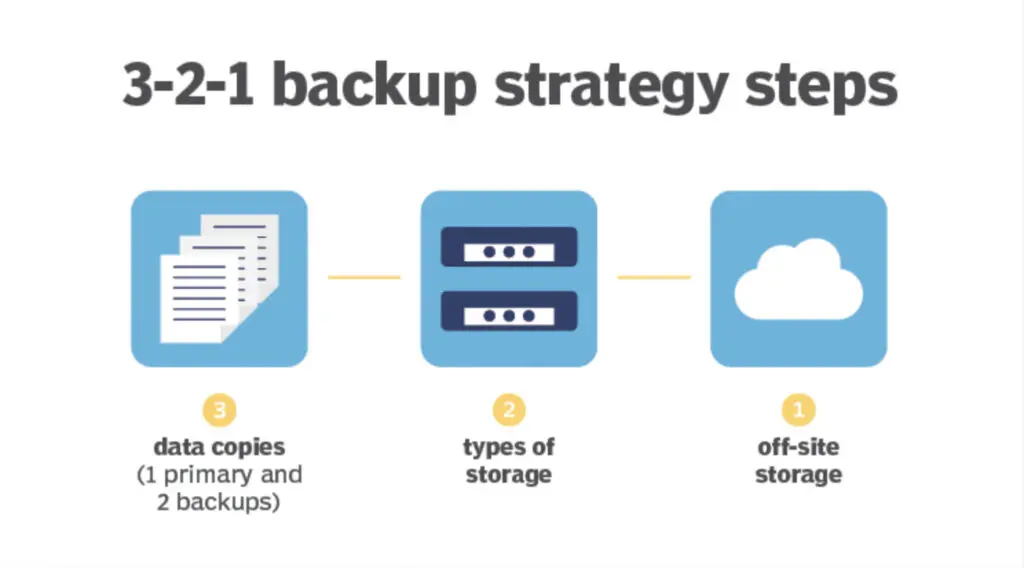
Mistake 1: Neglecting Backups
Imagine losing all your precious photos, important documents, and cherished memories in an instant. It’s a nightmare scenario, but one that happens more often than you think. Failing to back up your data is a major tech mistake that can lead to devastating consequences.
The Fix:
- Choose a Backup Method: There are several ways to back up your data. Cloud storage services like Google Drive, Dropbox, or iCloud offer convenient online storage. External hard drives provide a physical backup solution.
- Set a Schedule: Don’t just back up once and forget about it. Schedule regular backups, whether daily, weekly, or monthly, depending on how often your data changes.
- Automate the Process: Many backup services offer automatic backup options, so you don’t have to remember to do it manually.
Mistake 2: Using Weak Passwords
In today’s digital world, strong passwords are essential for protecting your online accounts and personal information. Using weak or easily guessable passwords is like leaving your front door wide open to cybercriminals.
The Fix:
- Create Strong Passwords: Use a combination of uppercase and lowercase letters, numbers, and symbols. Aim for passwords that are at least 12 characters long.
- Use a Password Manager: A password manager can generate and store strong, unique passwords for all your accounts, so you don’t have to remember them all.
- Enable Two-Factor Authentication: Add an extra layer of security by enabling two-factor authentication (2FA) whenever possible. This requires a second form of verification, such as a code sent to your phone, in addition to your password.
Mistake 3: Overcharging Your Phone
Leaving your phone plugged in after it’s fully charged can shorten its battery life over time. Modern smartphones have safeguards to prevent overcharging, but consistently topping it off to 100% can still cause unnecessary wear and tear on the battery.
The Fix:
- Unplug When Fully Charged: Develop the habit of unplugging your phone once it reaches 100%.
- Avoid Extreme Temperatures: Don’t expose your phone to extreme heat or cold, as this can also damage the battery.
- Keep the Battery Level Moderate: Ideally, try to keep your phone’s battery level between 20% and 80% for optimal lifespan.
Conclusion:
By being mindful of these common tech mistakes and taking simple steps to avoid them, you can ensure a smoother and safer digital experience. A little tech-savvy goes a long way in protecting your data, devices, and peace of mind!